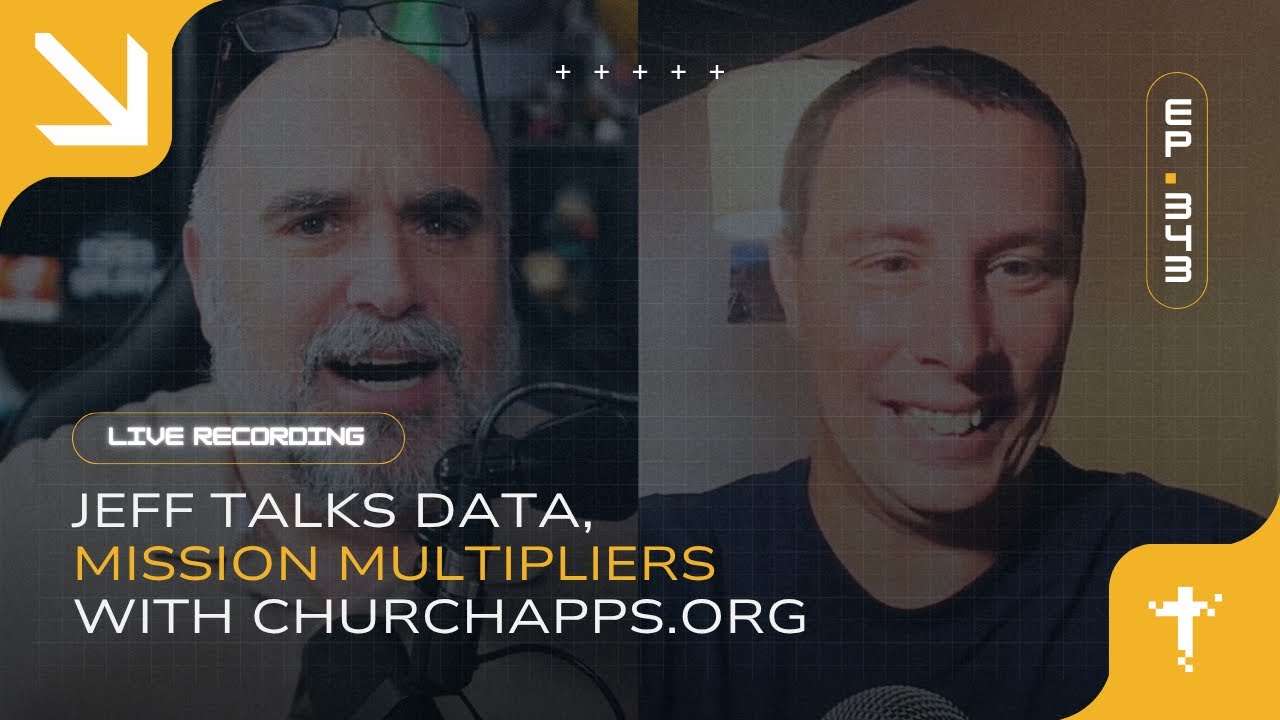
What if your data didn’t just measure ministry but multiplied it? What if your app wasn’t a feature for convenience but a map for mission?
Jeff Reed sits down with Michael from ChurchApps.org to explore a fully free, open-source ministry tech suite that's quietly equipping churches worldwide. From FreeShow (a ProPresenter alternative with nearly 2 million downloads) to ChMS database CHUMS, website/app builder B1, and curriculum platform Lessons.church — this is enterprise-grade church software at zero cost. If your congregation is burning money on planning tools, this episode will make you rethink everything. Practical, global, and genuinely missional.
All right. Hey, episode 343, 343 of the Church Digital Podcast. You would think I would lose track. Uh, actually, this is honest to God truth.
Uh, I have to pull up YouTube like five minutes before I do any one of these streams because I always forget what number I'm on.
Uh, you know, I used to be able to like, you know, first couple hundred I could like pull, oh yeah, that was episode so and so we we had that conversation and at this point like it all is just jumbled into one.
Very enjoyable, but a little bit of a of a mess here. Hey, listen. I'm doing here's where it even gets more complicated. We're doing two streams this week.
Uh, and so looking forward to this conversation uh coming up uh with Michael just around the corner. But just a quick tip, tomorrow uh 8:00 PM Eastern New York, Wednesday night, that's uh minus 4 UTC if you're uh globally inclined.
Um we are doing a conversation uh with Allan Hirsh uh maybe the father of the modern church movement. Allan Hirsh is joining us from way the crap down in Australia.
Allan is a is a friend and supporter of digital church network. Well, excuse me. Oh, wow. Talk about a mess. That was one of the rare um misbrand firings at Digital Church Network died a couple years ago.
God rest its soul. Uh Alan Hirsh has been a a I'm so flustered that I said that those words. Alan Hirsh has been a supporter of uh the church digital and digital missionaries like you for uh for many years.
And so we're we're excited to bring him on. Recently had a conversation uh Jesse Carbo published an article uh talking about the role of digital in incarnational ministry.
Incarnational is more like microchurch, more like network church, very physical, very relational, but you know us digital like can be very relational as well.
And so how does digital fit into a a micro church, a physical relational ministry? And the flip side of that, you know, hey Allan, how can you really be relational uh using these these digital are are you comfortable with that?
What does that look like? And and knowing Allan, uh it's it's going to be a fun conversation. That's going to be Wednesday 8:00 p.m.
Eastern New York. Uh that's minus 4 UTC. Uh and he's he's in Australia, so that's going to be Thursday ODAR 30. I think it's like 8:00 a.m.
or 9:00 a.m. his time. Good stuff. By the way, speaking of that, we're also going to be sneaking uh releasing sneak peek. We're going to be releasing the names and the dates of of the four digital missionary conferences that we have coming up this fall.
We're we're doing four summits back to back to back. Now, we had we had previously only announced three of them. Uh we had announced a a uh digital community summit.
We had announced a gaming summit. We had announced a I'm trying to think what was the other one. I said oh European digital missionary summit.
Uh but I did not announce what the fourth one was. And so we are going to announce that in the final dates literally right here around the corner starting uh and so we're going to announce that.
It's going to be happening this fall. But tomorrow, Wednesday, 8:00 p.m. Eastern New York is when all that is going to become public. And so come hang out, get the sneak peek on something uh surrounding the digital missionary conference and get uh hear a guy with an incredible Aussie accent tell you what
he thinks about digital missions. I mean, it's it's a it's a win-win all around. Hey, you know, and I'm loving some of this stuff that I'm I'm seeing already uh in chat.
Uh David Johnson, Global Media Outreach, always love our friends over at GMO uh is is saying hello. Mr. Pete is doing once again his check-in um in uh he Mr.
Pete broadcast this into VR. So we've got an entire entirely separate audience watching in um big screen right now. It's always a pleasure Mr.
Pete. Thank you. Uh Retesh, I'm probably mispronouncing that. I apologize. Retesh uh literally joined Discord maybe five minutes before uh this stream and uh he immediately went from Discord and jumped on the stream.
So it's it's it's good to see him. Pastor D, it's always a pleasure to to see you as as well. Uh and Pastor D says, "We know you still have a heart for the digital church." Yes, the digital church.
Very much so. As a matter of fact, I already had some meetings. There was something. Side note, we'll have to come back. That's I don't want to I don't want to go down that Pastor D.
Stop trying to distract me. You don't do it. Um I I can go down rabbit trails all day long with that comment right there.
But so I'm not going to and I'm going to save it. Just say the church digital um has a heart for digital churches and we're we're working on something.
I mean, you know me. I'm always working on something, but I'm I'm working on on something here that that I think will be worthwhile for for this.
And but right now here, we're The other thing I can never keep track of is seasons. We're in season 13, I think. Um uh that that I'm calling uh empowering partners uh and no, equipping partners and empowering tools.
This is why you write stuff down. I didn't write anything down. Can you tell? Hey, it's called uh it's called Equipping Partners and and Empowering Tools.
Really highlighting ministry uh solutions, software solutions, hardware solutions that are in place that can help people like you do digital missions at at a global scale.
Last last week, we had an incredible conversation uh about about a tool that's been used to reach millions of Gen A, Gen Z. I I forget the the stats, but it was like 10 million Gen A gen Z last year.
It was ridiculous. Uh some of the things and and it's freely available for for missionaries like us to to use moving forward. And you have to go back and listen to to last week 3:42.
You want to get into that uh with that conversation there um talking about that. This week, uh, I'm I I am excited to bring on Michael from Church Apps into the conversation because we're talking about some open-source software that I think is really going to help elevate uh the the quality of ministry
that's going to be that can be done at a at a, you know, at a big level for no money. It's crazy. Hey, Michael, how you doing?
Doing good. Hey, thanks for having me, Jeff. You rabbit. I I don't think I've ever heard you go on a rabbit trail. Oh my gosh.
You haven't been listening to much of my stuff then. I live on the rabbit trail. I I I set up house on a on a rabbit trail.
There's little rabbits, bunnies jumping all over. No, I'm kidding. Once again, rabbit trail. Stop it, Michael. Oh, man. It's It's so so good. I I'm I'm excited.
Looking forward uh to this conversation as we're going to dig into church to church apps uh and uh and hopefully get some some missionaries connected to what to what you're doing.
By the way, throughout this, anybody that's watching live, uh, feel free to throw any questions or thoughts into the comments into the, uh, the yeah, the comments and, uh, we'll we'll reference it and put it up.
Uh, yes, because we'd love to interact with y'all in in real time. If you are watching on demand, feel free to throw the comments and questions in there as well.
Uh, I'll try to interact uh, with them. I'm usually pretty good about interacting with YouTube in real time, but Michael, you know, let's let's kick it off a little bit here.
Um, tell us a little bit about what Church Apps is. Yeah, absolutely. So, um, Church Apps is completely free ministry solutions for churches. Um, our our tagline on our page is ministry is hard, we make it easier.
Um, so I've been in ministry for um over 20 years and um one thing that is for sure as the years have gone by more and more ministry tools have have been there like I'm I'm going to use this now we're going to use this and really our lives too.
Um, as I got older and older, I mean, before I remember not having a cell phone. Now we have a cell phone. Now you just keep adding more and more things on.
Um, and in the church world, it seems like um, the cost of those things keep adding up and there there's a lot of expensive tools out there that were making ministry um, really awesome and they those tools are doing an amazing job.
Uh, but the open-source front we didn't see a lot of. And, um, to be honest, like a lot of tools start out 100% free for churches.
I have seen um these tools that have been great and like they're pretty small, but then when they go to scale um and more and more churches jump on and and I don't blame the people that are behind them like we're going to have to go to a pay model because the server
space is costing us so much or we're going to have to um uh just quit developing for it. And that's that's what happened with a lot of the the cool tools that I saw going up u through church.
And so, uh, we decided, you know what? Let's make it completely open source. It's not just make it free. Let's make it open source.
That way, it's for the community. It's for the church instead of being, um, held by any entity. So, all of our tools, everything that I'm going to show you here is 100% open source, and it is on GitHub right now.
You can go download the code and use it u uh to to hopefully bring more people to Christ. Yeah. First off, it it's so rare to find anybody that would give like open-source stuff away in in the church space like for free.
Um like this is this is really it it's really impactful. Like I you know I used to work for a uh a CRM um a church uh CHMS a church database company.
Literally, the company was valued at a billion dollars like like someone had acquired the company uh for a billion dollar check uh a couple years ago and and and you're providing a similar solution for nothing.
Like I mean just I I almost like want to pause. We'll get into some of the the features and and and what it looks like and and and what types of tools you have within your suite, but why are you giving this away?
Like like from a financial standpoint, I it doesn't necessarily make sense, but you're you're doing it. So talk talk to me a little bit about that.
Yeah. So the the why is huge. And um when we kind of look through the Bible and we you know look at Acts 4 where this um this community of churches had sprung up and obviously um that from that community is why we're sitting here today.
I mean churches were were starting church and it was going amazing. And in there it talks about hey if anybody had any need then they were able to uh give to one another to be able to do that.
and we thought man is that possible in the digital space um and that's what open source is I mean it is completely possible and the fact that and I always looked at the church like this um you know the capital C church I'm not talking about different denomination the capital C church you
love Jesus here we are and we're trying to serve him the very best we can we are the biggest organization in the world there's no organization that's bigger than the capital C church.
Um, but we don't share tools. I mean, for the most part, one big church, and it's not that they don't have the heart for it.
Uh, a lot of bigger churches want to help smaller churches. And if you ask them, if you are a small church and you call a big church, I mean, they'll say, "Yeah, come on in and anything we have, we're, you know, we'll help you out with, but as a global church, uh, we
can do that digitally now. So, let's let's set the ground and do it." And so that's that's why we started it. And from from the very beginning um there was no there's not going to be a cost to this because we want the church um that has zero dollars to be able to
to to jump in and be able to use it. And we want the church that has millions of dollars um that they can invest towards it to be able to jump in and use it.
And we want those tools to be the absolute best. And we figure if every, if the biggest organization in the world, we pull all the coders um that are in that big organization into one place, we can make something phenomenal.
Um and it's amazing. We're seeing God do it. Um so it's a huge, is a huge God-sized uh goal, um plan like let's try it and and God has been there and really taken it and keeps taking it bigger and bigger and bigger.
Um, nothing that we could do. Only only what he could do. Yeah. Love, love that. Well, you've you've probably got some more on the side of zero dollars than the million dollars that that that are going to be watching this stream and this podcast, but you know, we do have friends on both sides. Uh, would I am I'm looking looking forward to this. So, talk to us a little bit here about what types of of of software, what what types of tools do you have within the the church app suite?
Yeah. And I had to I had to be careful because I can talk for hours and hours about how much stuff we have. So, I I'm going to start with the the one tool um that's kind of uh outside of the rest of the tools, but still interacts with it. It's because it's a desktop tool. So probably everybody um is familiar with ProPresenter um which is a great program um but not every church is able to afford that and so we have a program called FreeShow and FreeShow is uh does everything that ProPresenter will do.
Um it is a great way to be able to um show the lyrics on any screen. It's a great way if you're a digital missionary to um set up a uh lesson and run through a slide deck if you needed to. You can use FreeShow. It has NDI. It integrates perfectly with OBS. Um it has a way that you can search through uh all the worship songs, pick out the worship song you need, just throw it in and and go.
Uh you can bring XML Bibles into it so you can um have scripture reading. Um, it is connected to pretty much uh more than I know and the the community keeps coming up with more and more things. I'm like, "Holy cow, this this this thing can do so much." Which ProPresenter can too. Um, I was in children's ministry a lot, and we use ProPresenter in a very uh finite way that, you know, we're just going to make a playlist, throw all the videos we need in there, and then go through the videos. Well, FreeShow can do that. Um, and but ProPresenter can do so much more and FreeShow can do so much more.
So, worth taking a dive into. You know, it's it's funny. I was I was part of the team. This is like in the wayback machine. I was actually part of the team that designed ProPresenter 3. Um, and what are they on like 17 now? Like I said, this is like decades ago.
But, um, when early early on, we had more uh more venues. My church had more venues. This is early multisite days too. We had more venues running ProPresenter than any other church in the country and and uh like it was just ProPresenter was so volunteer friendly which really and ProPresenter if if you're not in church venue space PowerPoint, EasyWorship, goo like Google Slides but for worship like there's you know a lot of that's that's tied into it.
Um getting some interesting questions kind of coming coming from the room a little bit. Um is is it is it um first off would love to talk about volunteer friendly because a lot of times in presentation software that that's a big part of that. What does that look like? Does it run on an iPad or does it require a desktop? You know maybe maybe some of some in that space.
Yeah. So it um the program itself is going to run on any desktop. It'll run on Macintosh uh Windows or Linux. Runs on all three.
Um, now you can access it through the iPad um, basically by going into settings and then using it an iPad to go through your slides.
Um, which pretty cool how it's set up. You just um, scan a QR code and then it gives you a uh, web address and then it connects straight to FreeShow.
So FreeShow is a server and then the iPad would be the client that moves everything around. You can use that to advance and and stuff like that.
So, there's not an iPad app, but it all works through the browser, which um kind of a cool since we're talking to the techie crowd too here if you wanted to. Um you can use the iPad as your stage monitor and so everything runs on HTML. Um so, basically just have a good connection and then you can uh have a stage monitor that is your iPad.
So, yeah, and that way uh definitely will work uh with the iPad. Well, I mean, you you had me at NDI, so thank thank you for that.
Um, once again, the the the the million-dollar people are Yes. like like that. Some of the digital missionaries may not be able to totally grasp that, but definitely it's a powerful tool that can play both both sides of of of the equation.
Um and and let like if somebody wanted to like go to a website to to all all of your software, you know, we're going to talk about some of the others, but where where do they go to like find out more about uh the show software, some of the others?
Yeah, absolutely. So, you can go to churchapps.org. Um if you go there, it lists all of our software, but for FreeShow, if you just want to go to FreeShow, it's freeshow.app.
Um and then when we get into the other ones, chums.org, org. They all have their own domains, but everything you can find at churchapps.org.
Yeah. Uh I'm I I am looking forward to talking about chums. I just love the fact that you bought chums.org as a domain name. Like making up your own language, man. That's that's just beautiful. All right. Um so, so we talked about about the show. What what other uh what what's next? We going to talk about next. What other software do you have?
Yeah. So, let let's just jump right into Chums. So, Chums is kind of the database, the the central of everything that we have. Um, even into FreeShow. So, you can you can uh so Chums is a church management software. Um, and so you could set up let's say um a Sunday morning service or or whatever you wanted to in Chums and then it connects to FreeShow then all the songs will show up into FreeShow.
Uh, FreeShow also connects to Planning Center. So you could if you're using Planning Center then you could do that but Planning Center and Chums are pretty pretty similar in in what they do.
Um, so Chums is where you would bring in all the people at the church and it doesn't matter um if your people are um let's say at a physical church or even in a digital space um you still probably need records of who's coming to the church and then how can I follow up with them and from those records you can leave notes on those records so you can kind of see what's going on but you can create a member directory um when you bring people in it automatically makes a member directory.
Um, and then you can tie attendants, you know, how many times have they come and then they can check in with the app that we have. Um, so that that automatically goes in. Um, and then it has inside there is where you'll set up your giving for our giving platform.
And so you can connect uh, Chums directly to Stripe right now. And um, that way you'll have a portal to anybody that wanted to give to your ministry can give.
Um, and then you also I'm trying to go through them all. People, attendance, and then forms. And so forms is pretty cool. Um, so just like it sounds, any kind of form that you wanted to set up. Um if you needed a form for kids going to camp or you needed a form for people signing up to go to an event and even if you needed to tack on let's say a payment for the camp then you can put that in that form and then you can host it on um our website uh your website for your church and all of those are controlled within there so it brings data in to to Chums so if you're going to use church apps stuff man Chums is a great place to get started to to have everything there because it's probably all going to lead back at some point. You're going to need Chums because it is the database of the church.
Yeah. You know, it's interesting. I maybe maybe four months back, three or four months back, I I was on uh I was in one of our one of my communities, one of WhatsApp or Discord, and I was like, "Hey, where do y'all store your data?" I just like poll open air question trying to see what what what people were were saying because I was curious like what what they were using and uh the general consensus was they stored information on their iPhone like in the in the address book and u and that's when I was like you know missionaries yeah they're they're on a budget but they we haven't figured out scalability yet like okay we're going to store that email address and that phone number in person one's like phone uh phone book on their phone, but now you're going to, you know, work with person two or person three and you want to share that data like you're you're you're you're limited. You're boxed in because you're not not thinking large enough.
And and solutions like Chums where now you've got the ability to uh to centralize that data in a in a cloud server, access it via web browser and then share that information uh among each among the volunteers or the people you're working with. Like that's a that's an incredible uh opportunity to allow more scalability to to allow you to to extend beyond the the ministry of more than just what what one person can do.
And so you know to have uh um you know I don't know if you know CRM is in the business world uh CHMS is in the church world which is why I love Chums so much. It's like you kind of like you built on CHMS the church management software idea. Um you know what whatever abbreviation you want to go with the the fact that you're centralizing that data and making it available for others like it's it's a it's a beautiful um opportunity.
Now, I know you're you're open source. Mhm. uh with this like if if I wanted to integrate the form into something else or if I wanted to do something else with it like do I is there how would I do integrations um to a uh another tool or to put the form into to tie it into another app or to pull data from some other other place like you know I know Zapier works or Zapier or whatever it is works with a lot of the the larger databases is how would I do third party integrations if I was doing something like Chums?
Yeah, I mean depending on your technical ability, you would be able to go in and um if you hosted it yourself especially, you could alter the code um to be able to use forms where you wanted to use them.
Right now, what we do is we have another app called B1. And so you the forms are just dropped into there. So that would give you a web page and then you could um basically take that web page and build it into uh like an iframe onto any other website that you had.
So you could bring information in that that I think that would probably be the easiest right now. Um one thing that we've tried to do uh to keep everything um secure is they're all different APIs, but they all work together.
Um and so I haven't messed around with Zapier. I've seen Zapier can do some crazy stuff and now with MCP servers um it can get even crazier. I'm sure there's a way that you could make the make the two work. But I I did want to mention that that um a lot of open-source stuff um that we saw in the market uh was was really great.
Um you could download it, spin up your own server and then run it which is usually how open source works to be honest. Like that's that's the and that's where we're different than that.
And so we actually we host on AWS. And so um it works just like it would work with any other program. You go right into Chums. You make an account and then um it it just works for for your average person, which is a lot better than trying to spin up your own Docker server and get everything running.
And yeah, we've done all that. Now, you can still do that if you would like to and run it for your church. Um, to run AWS is not is not like what everybody wants to do.
And so, and it's definitely cheaper if we all come to the same one. And then and I mean, that's how businesses are able to do it.
And so, that's what we do. The same uh level of security and everything that you would find from a planning center, from a breeze, from anything, we have we're we're running the exact same way.
Yeah. Um, I mean, the fact that you don't have to have a data scientist on staff to uh to to set the thing up um and and to to read the data from it is a is is a big step.
I mean, you really are merging the idea of the uh open-source software with, you know, a cloud service because you're you're giving away accounts for free and it's on AWS hosting, I think you just said.
So it's hosted on Amazon for stability and it's like it's a it's a it's a really um solid solution. What you know I know like even on this call we've got uh a lot of international uh flavor uh multilanguage AWS Amazon warehouse services pastor D um uh think stability like Amazon.com Amazon opens up their servers um p uh multi-language um what does that look like is that current is that on the road map kind of talk to me a little bit there it is there so um I can't remember exactly how many languages.
119, I think, the last time I checked. Oh, is that all? Why not? Why not more? Wow. 119. Uh, pretty much any country you're in, you can uh download Chums and and find a language that will work for you.
Um, and it just works because it's a web service, you know, it's working on what your browser is. So, if your browser is set to Chinese, then Chums is in Chinese.
Um and so okay that that really opened up a a huge um a door for us that we wanted to be you know the Capitol C church and so we wanted to be global and so that was high priority to get that done once we had a stable product.
I'm I'm curious how much is um you know taking us taking a step back how much of your business how much of your user base is global versus u domestic US-based?
Yeah. Um, so it is right now um about 60-40 the last time I had checked. So 60 global and 40 North American. Um, and so we're trying to obviously grow both um as far as we can.
Um, and then FreeShow, FreeShow is probably been the most lit on fire um with almost two million downloads at this point. Um, and it has just a ton of users.
And so that and that is really global. Honestly, like I would think ProPresenter is probably winning North America. I mean, most people are using ProPresenter because it's just it's the best.
Um, but for a long time there hasn't been a great option for um, churches say in third world countries. Um, and FreeShow is is meeting that because everybody needs presentation software.
So it's probably where a lot of our numbers are coming from. Um but we're seeing we're seeing that uptick a lot. um a lot of uh you know we we do full support too and so you know you have a question you have something that's going on we want to hear from you
and and we talk from people talk to people from India um seems like India has been calling in a lot a lot of churches uh jumping up in India which is amazing um and so and just uh a lot of Asia um but in Australia um pretty much everywhere.
Yeah. Yeah. Yeah. We as aside we've seen a lot of Asia um a lot of Africa a lot of Africa I think on the stream today uh as well and so good good good all right so we about FreeShow FreeShow is the presentation software and and we've we've talked about Chums
Chums uh which is the the CRM the church manage the database uh and so these are are the the user database these are are to um by the way uh do you have I I maybe you said it Chums do you have like mass email tools communication tools built into that that
database as well? Yes. So um basically what you do is set up groups and then from those groups you can uh send out notifications um or emails and so we do not do text because there's not a free text service out there right now.
Yeah. Um it's just not there. But um when you download the app, there's a B1 app on an iPhone or Android, you allow for notifications.
Once you allow for notifications, whatever you send, uh one out to that group, it it's small ding and then you can chat with them right there.
Um so you can you can do the chat or you can and send out like that. Um, so it's not quite like a having a CRM, you know, that's a HubSpot or something that's going to send out automated emails or anything like that, but it is, hey, we're going to put it on
the calendar and we want everybody to know that the next meeting is coming up here. Um, let's say you've got five people on your worship team.
You want to make sure that they're going to serve. All right, they're in the plan. It automatically sends out an alert that says, "Hey, do you accept or decline?" When they decline, it comes back to you so that you can find somebody else to play the bass.
Okay. So, yeah. So, if you needed to get a Hey, Troy. Troy checking in. Of course. Um, so if you want if we were offline, we were talking about you.
Like, at what point, Troy, you're going to actually show up to to say, "Hey." Um, so I mean, worst case scenario, if you are looking for that mass communications uh tool, you know, figuring out how to integrate in the database into like Mailchimp or something like that.
um you know and uh if you were wanting to text there I mean there's there's so many of those texting tools that are out there but they they cost and and and that's it's one of the deals like I have personally I have a love-hate relationship with text messaging because of that.
I would, you know, app push notifications is is a much better uh solution or integrate this over to uh to like WhatsApp and use WhatsApp for the the the notifications uh things.
You lit up when I said WhatsApp. Do you do you do you have like an integration or people that are tied into WhatsApp? Great idea.
Um I think that's a great idea. It's something that has not happened yet. Um but you know, I mean that's why it's open source.
We want people uh even on this channel that might hear it and say, "Man, that I'm going to go after that." Um because we I think that would especially worldwide, WhatsApp seems to be bigger than um even text message.
Like I'm still old school text message. I don't know why. It's just what I do. But everywhere else it seems like WhatsApp is is what's up.
Yeah. WhatsApp is what's up. Well, well done. Well played. Yeah. I mean there's there's two billion users on the planet who have WhatsApp installed on their phone currently active users.
Uh and so we uh there's a there's a lot of use base in that. So um it's interesting. We we may have to to look into that.
Um okay so we we've talked about uh FreeShow no FreeShow. We've talked about FreeShow and we we've we've talked about Chums. Um and and both of these are available information is available at churchapps.org.
Uh but what's uh what's the third tool we're going to talk about today? Yeah. So we're going to talk about B1. And uh B1.church is the actual website that you can go to and what the tool's called.
And the idea is that we should be one church, right? And so this this makes a little more sense um uh as far as naming goes.
A lot of people don't get Chums. I'm glad that you did, Jeff, but only the the true techies and church techies at that really get that.
Um, so, uh, B1.church does several things. Uh, one of the first things that it does really well is if you were go to churchapps.org, that entire site was built with B1.church.
So, it's a website builder. And the nice thing about building your website within um, our software is then everything works seamlessly with Chums. So those forms we were talking about, um you just have a box, you click it, and then you've got a form for your website.
So the website um is specific to churches. Um so there's there's great things that are built just for churches. I was talking about those small groups.
So let's say you make groups that you're going to send messages to. Well, every time you make a group, it automatically spins up another page for you so that you have a page for that group.
Um and smart things like that. and and every uh website um basically every member of the church that signs up has then their own portal and that portal is to where they can log in and they can do their donations so they can give see how much they've given download the receipt if
they want to um at the end of the year or anytime they want to see it it's there but it also is going to uh provide a feed and that feed is going to be specific to what they want.
So, let's say you've got a family that's got a fifth grader and a preschooler. You really don't want to hear anything about what's going on in the high school.
Well, automatically you're going to be opted out of those. But if you checked your child in, which is something else Chums does, has its own check-in system to the fifth grade class, then you're going to get everything that comes across for fifth graders.
Um, and I'm just using that as an example. You can you can separate that out however you want to, you know? I mean, we could take it into gamers and you could have groups for, hey, these are uh the gamers that are playing these certain games and we're putting them each into the
group. They're only going to see the information that is related to to those games on on that uh portal. And so B1, that's the first thing is a website builder.
Um and then it has an app builder too. So basically um in the same way um you have your website, you also have an app.
and the app you can go download it now and if you want to see kind of a test church we use Ironwood Christian Church as a test um and but you would search on there your church and once you made an account um then you could search the actual actual name of your
church now if you name your church First Christian Church you're going to be in a world of hurt I'll tell you because there's a ton of first Christian churches or first Baptist or whatever it is so um that's been a problem.
So, make sure to name it something that is specific to um your church. But then once you select that church, you do it one time.
Now, the app is set up just for your church. You can log into the app and that's where you'll see things like um if you're a teacher for that fifth grade class, then you're going to automatically see all the lessons.
And if you're using our uh other site, which is lessons.church church to run your lessons. All the lessons are going to be in there for you to look over before you get into the classroom.
And then if you're a parent of that fifth grader, the week after that lesson shows up in the app, you'll see that lesson. So if you miss Sunday, you can watch it right there.
Um, and so it's very specific. We're trying to build a software and a system that doesn't just flood you with information. We only want what's going to be relevant to you.
I mean, it's the same thing that Facebook and everybody else is doing. And so that's that's kind of what we're following is just, hey, this is the very relevant information for you.
And if you want to opt out of it, then you can opt out of it and you won't see it in your feed. Um, so that's the app portion of B1.
And then, um, in B1 is also the calendar. So you can set up a calendar and this is all the events that are going on the church that's going to seamlessly work into everything else.
And then sermons. So, um, one thing that happens pretty much in every church is every Sunday there's a sermon a preacher gets up and preach and that's some great content.
Um, and now most everybody's recording those um, and they're on YouTube somewhere and you can go look them up. Well, we want people going to your site um, to find them instead of YouTube.
And so we made it very super simple. One, you can do a bulk import. So you just put your channel ID in, every sermon, every video you have will come right in, go into playlist, drops right into your website, so it's nice and clean.
Um, the second thing is on your live stream, you can set it up to where it happens every week. That way after the sermon is done, it automatically archives to the site and so you don't have to do anything. You just set it up once and it's done. And um, so sermons also includes live stream and our live stream is pretty cool. We have a block in our website where you can take a block and drop it over any page that you want. Call it live stream. It has an option to hide it if you're not live, but when you're live, then it takes over the page.
Yeah. And so um, that's all set up in B1. Um, and you can, you really have to have Chums, but it doesn't matter when you when you sign up for Chums or B1 or lessons.urch, it signs you up to all the apps and within the web interface, you can switch from app to app. You know what? Here I got my friend Pastor D saying, "Keep talking a few more features and I might be switching and saving my congregation 200 a month." Um, and you know, it's funny, Pastor D. I was actually thinking about you as we I was talking with him historically. You know what? Um, let's let's go ahead and do this. Let's go ahead and screen share uh a little bit because B1, you like the power is seeing it. And I would love if you want, maybe I don't know what website you want to walk through. Maybe start to walk through the website, some of the features and and what that would look like. So let me go ahead and press my magic button and yeah, you should you should be good.
So uh okay, go ahead. I see that we're we're on um Chums right here. And so I would suggest anybody if you want to just kind of try it out, you can try out Chums just by jumping into the demo and then looking through. And we've got a bunch of fake uh information in here. And so um obviously you can edit all the information. Um and here's where the donations are. So if they had given anything then it would show up here. This is their attendance. So that's people. Um and if we go to settings, there's something that's pretty cool about um Chums.
Uh one is forms. You can create forms. I I think you're clicking. Let's back up. I think you're clicking, but we're not seeing. I'm on the wrong one.
There we go. There you go. So there's people. No, it's it's. You know what? It's. You're sharing the tab and it's opening a new tab or it's a module. That's for some reason it's I'm not seeing it. Um all right. Let me let me try this. Said maybe share a browser. Yeah, I'm seeing that.
Okay, there we go. Sorry about that. All right. So there's the attendance I was talking about. Um there's the groups. So you can see that Carol Clark here is not in any groups. If I wanted to edit her, I can just go in edit all the information really just like any other church uh management system. And then um if we go to serving, this is where you'd set up your ministries. So there's worship and like we've got the March schedule is right here coming up, and we click on there and these are all the people that are needed. So we still need a person for hospitality greeter. If I click on a person I can just add them in and then um right here we can notify them and that's where you were talking about the uh notifications. You just hit notify the volunteers and then it would notify them. Obviously this is the test one so it's not going to notify them.
Um and then settings. This is pretty cool. Um, and from what I know, the only uh church management system that does this. So um, you can import export. So you can import anything from Planning Center or Breeze right into Chums, or you can take it out of uh Chums and go to Planning Center or Breeze. And you can also do CSV. So if you have a different um uh church management software, then you can export everything out CSV and then import them right here.
And then roles. Um this is your permissions. And so if you have someone that's doing all the accounting, then we could set up accounting and then add that person that we want to be the accounter uh just by searching. See if, oh, there's not a mic in there. Um but if they were there, we just add them. So roles is important because um you don't want everybody seeing all the donations and so you can basically put out which ones you want, which ones you don't. If you accidentally name your church, go ahead. Yeah. Yeah. I mean, this this is this is beautiful. Um we've got a lot of video visual type people on here. Um show a little bit on the uh the sermons, the streaming u some of that that functionality. Is is the streaming based on um is it streaming YouTube? Like how what video um distribution system is it based on? Yeah. Um let me jump into it real quick. So uh these are all the churches uh that I have. So I'm just going to jump into church apps. Okay. Um, and so from this, I'm in B1, but I, this is the portal that I was talking about that every member has their own. And then I'm going to jump into the admin. So this is what admin looks like. And like I said, you can switch apps right here. So I can go to any of the apps, Chums, B1, or let's um, so this is the mobile app. And how you set that up, you you can just add more tabs, change the image, put whatever text you want. Um, it's very simple to do. And then the, well, let's go into sermons. You said sermons. So if we go into sermons, um, basically we've got sermons right here. So I can add one sermon at a time if I want to. And I just go in. I need to make a playlist um to put into it. So I have to go actually go to playlist first. I forgot about that. And we'll call this the new playlist. New sermon series or whatever.
Yep. So you can add a thumbnail right here. We'll just save that. And then if I'm going to add a sermon, just one at a time, I go right here. There's the new playlist. I can do from YouTube, from Vimeo, from Facebook, or from a custom embedded URL. Um, so it will use uh if you're streaming to Facebook.
Yeah, the problem with Facebook is that every time you stream into Facebook, it's a different uh channel ID, right? And so um, YouTube is what we suggest because later I'm going to jump in here, go to times, and then I can set up my service on a Sunday morning. Yeah. And I can set up the time, whatever time I want it to be, and I customize that. When I go back to sermon, then I can make it a permanent live URL. And there's my, you know, channel ID and it goes right. Or if I wanted to, I could uh bulk import, which is right here. Import from YouTube. Just grab a random channel here. And I've obviously put in there before. Let's see what we get. And so these are um this is some church. All of their everything that's on their channel. You can just click all the ones you want. And let me see if I can switch us over. I'll tell show you what it looks like live. Um, so I'll go to Southside. This is a B1 church. Um, website. And so this is what it looks like, excuse me, after you have them imported. And so their sermon live stream is right here. Obviously it's not going yet. At 9:45, it's going to start. When it does start, this will go live. But their archive is right here. And so you can click into any one of them. You can see that's a playlist. And there's all the parts of that sermon and you just dig down then you can watch that part.
Yeah. And and that's just um I mean at that point that's just YouTube. So you're interfa you're interfacing with YouTube uploading to YouTube. By the way, Steve um Steve mentioned that Facebook actually live videos it doesn't keep longer than six videos. They announced that maybe a couple months ago and so like if yeah if you're stream Facebook is not the long-term solution. Um forgive me and it's it's looking like Steve is Steve is telling me did you see Pastor D's question about pre-recorded videos? Um if I can do simul can you do simulated live? I I don't I don't know the answer to that. Uh um so you could make it go live? Yes, you can do simulated live in in in YouTube. Uh yeah, it would be what do they call it? It's uh premiere. YouTube premiere is is is uh is simulated live. So in that situation, you would have to schedule B1 to go to to start at a certain time and then you would schedule the simulated live video to premiere at that time and play back.
Yeah, correct. Yep. Pastor D's happy. Uh, I mean, I'm I'm just I'm I'm telling you like what they what this software is uh is incredible. Uh, considering it's it's open source. Ian is uh very cool. Looks like uh worth worth switching to. Uh I mean it it really is just it's a very rich interface now. Uh a lot of features. Now um we're gonna get into lessons. Yeah. So hey, before you go, do me a favor. Your window kind of squish it in a little bit. I'm I'm giving you a 16:9 box and you're you're a little too wide. If you can uh make it narrower to more like a 16:9 window. Uh maybe a little more and then yeah, that's good. Okay. Oh, no. Force me back out. Let's try that. Yeah, you're good. Try that.
Okay. So um I'm going to go to the main site on lessons.urch. So this is lessons.urch. Um, and basically what this is is um a uh way that we created um a a format of lessons. So traditionally in in lessons or in curriculum, you're going to get a PDF and then if that PDF is wrong, then they'll send you another PDF or you know, it's it's hasn't been an online thing for most curriculums. Uh it's it's kind of online like oh you can download it but it really locks you in. So instead of doing that we made it all in code. So anybody that comes on lessons.urch they make um all their lessons in in a certain format to where we can manipulate it and make it work um for whatever we're doing.
So honestly, we have enough material for everybody in your church. Um, everybody from uh that's older. We have Ozark Christian College. We've partnered with them. So we have ten years worth of Sunday school lessons for um just every topic that's in the Bible. And then in youth ministry, that's what I'm showing you right here is the youth ministry. Uh it's four ministry resources as partnered with us. And just I'm just this is all open source. So I'm straight on the site. I'm not even um I'm not even got an account or anything. And I can log in and because we've made everything to where it is um written in a way uh in code. So all the images, all the text, then we can format it any way we want. And so you can print off a script version, color-coded lessons.urch, church bed. Even more importantly, it works on your app. And so all of this is uh a web portal, but it's also uh working um on an iPhone or an Android. Um and it also works on our uh TV app. And so it works with Android or Amazon Fire Stick. It's a lessons.urch app. And then you can schedule out lessons and then it plays um the media from those lessons. Or you can play it right here um on inside of a browser. We don't recommend it doing like this, but you can if you want to. Um what we recommend is using this system. All right, so I had to go back. I've logged in too many times. Let's see. Back to church apps and lessons.urch.
So classroom. Let's just name a classroom name uh class. And then uh we'll just save that for now. Oh, what's it want? Access window API lessons.urch. Well, I've logged in too many times. You broke it. I broke it. Yeah, this is this is a software demo issue. The problem is I think I uh went back and forth too many times. I'm going to actually go into uh the lessons and show you. So these are classrooms that I've already made. Gotcha. What's really cool is um I've scheduled out here an entire well, this is like three years worth of lessons, but to schedule something, it's very simple.
So it picked up that I was doing it on Sundays. Picked up that we're using Arc Elementary. I can use any program that I want.
And then, let's say I'm going to move to Upside Downtown. Okay, great. So next time I go in, it's going to fill all that in.
Now, that's lesson two. And so you're just you're cruising. Um, if you've ever done anything with children's ministry, this is this is a huge timesaver.
But also with um any any um curriculum out there, uh it is so hard to get everything organized, this makes it just simple. And we're we're not just doing this um on the lessons.urch site just for us.
We really want the world to adopt a what we call an OFF, which is the open lesson format. So every lesson um that's built for church would be in the OFF.
That way you could import it straight in. So external provider um would just be a URL. Yeah. So you could take that URL, put it right in, and then you've got your import the resources in.
Yeah, you can use who's using the OL format at this point. So, uh obviously we are um we've also um sent it over to planning center um and asked them they're looking at trying to go something like that and now if they wanted to do something different then we would uh we would adjust um because the world needs um just a a a standard format for this stuff. But also um there is the Nazarene church um uh the actual denomination they've made some lessons using the OOLF and it's been very successful.
So if we go I'll get real geeky real quick. Go for it. I think I can and we switch over here to schedules. I need to go to admin.
Maybe not. I was gonna try to switch over and show you the actual format. Should Ian's cooking geeking out over the Nazarenes. I just wanted to give attention to that.
Okay, we're done. Uh, sorry. Yeah, I was in the the wrong account. That is the problem. Yeah. Uh, so let me jump into the right account.
Here we go. So right here, schedules admin. So this is the backend. So these are all the lessons that are there. That's that summer the max we were just looking at.
And if I go into the venues and then here's all the roles. And you can see everything is written in here. And so you just have to add an action which is a say, do, play, download, note, or add-on.
Yeah. And then you put it right in here. And we're using markup to do all this. And what it gives um the actual user the ability to do is pretty cool because then they can go into their schedule.
Um let's schedule a quick class here. And then I can go in as a user and actually delete out things that I don't want.
So if I don't want that, I can delete it just for this classroom or all classrooms. This classroom and so it makes it custom.
Love it. Is this like and you can push it to TV apps, you can push it to mobile like this can be a web browser lessons.
This could be a a group lessons like at a home bringing people over like for a small group. Um yeah. Do do you I know with lessons as well as with streaming like there's there's an opportunity for um chat interaction like asynchronous threaded conversations.
Do you guys integrate that anywhere into your your software yet? So it's built on the idea of classrooms. Um, so in the software it would work because if everybody's on the B1 church app, um, and then they're a part of that class, they can see the lesson and actually go through it, um, with everybody else. And there's So B1 has chat functionality. Yes. Absolutely. Very cool. Yeah. Yeah. And so it's really built uh, too for for like a classroom.
So, when you schedule something, um, what it does on the on the TV app is it downloads all that information so that on Sunday morning you're ready to go.
Um, and you're not streaming it. But the TV app also has a streaming function. So, we have, I think, almost two terabytes worth of of video curriculum that's there.
And some of it um is really really um good. Even just um like the Ozark stuff, it's just professors teaching. It's great to watch.
So, you can stream all that just by going to lessons.urch app and go over to the streaming side and stream it. But the beauty is when you schedule now at every Sunday morning, it's downloading everything you need.
So, when you walk in the classroom, you just click the button and you're off and running. Yeah. I you know I in physical church space I cannot tell you how much difficulty I had with uh set up and tear down student ministries that didn't have access to Wi-Fi to download whatever the video they needed for worship or like it just it was a a uh I I I'm I'm not exaggerating at this point. It was a big deal.
And uh just even hearing you say things like, "Oh, it downloads it to to Oh, it's like, oh my gosh, I just I love I love so much about this." Um because it's amazing how much people's bodies take away Wi-Fi signal.
I can't explain it. But when you get a lot of people in a church, then it's like everything drops. So everything that we build, we really build um for trying it's for the church and it's people that are using it in the church.
Um so yeah, it downloads because we know that the children's ministry has the worst Wi-Fi and if you set all this up then it's a it's a waste of time.
But that's where that's where we really need help, Jeff, is more people saying, "Hey, I want to use it, but that's great if you use it.
We want to hear your feedback." back like we want you jumping on GitHub and saying, "Hey, this is broken. This doesn't work. It would be awesome if it do it this way if we had Chad here, you know, and that's that's what's making this project more move forward." Yeah.
And so, you know, I I know I know that the the people here and they they love to share opinions and beat the crap out of stuff because, you know, I do too.
And so, you know, I I personally I I think there's I think there's there's two different audience right now that that's watching this video.
One, you know, I think I think many of you like like Pastor D is, you know, our minds are blowing right now with yes, there's an opportunity to do this, save thousands of dollars a year, um, and have a powerful software solution that may actually work better than what they had before.
Um, and so, you know, I would encourage you church, what's the best way to follow up with you? Churchapps.org. Yep. churchapps.org. Make an account.
It's 100% free. Yeah. you're not losing anything by doing that. Secondly, and I I know some of you are watching this and and are intrigued.
Anytime, you know, we have a beta culture here within the church digital because we love feedback. We love uh building and developing and and and I want to encourage some of you to um to to reach out as well and start to provide that u people that want feedback like Ian Ian is saying, accounts made. Ian is a great feedback guy. Um, how does Ian get the feedback to you? Like what's what's the best way of of communication to make this happen?
Yeah. Um, so the best way is GitHub. Um, okay. If you if you know how to make issues in GitHub, um, and it's it's really simple.
Um, you can go to churchapps uh.orgdev. Um, and if you want to if you're a coder and you want to get involved, um, you can join our Slack channel right there and and we'll we'll get to work.
We'll get you to work if you want to get to work. Yeah. If if you know if you know GitHub, great. If you don't know GitHub, if if I mean, if there's a Slack channel that they can interact with and before Steve says what's Slack, Slack is like Discord or WhatsApp, but it's usually more in like dev slash programmer world corporate. Um and and so yeah, that that would be great. churchapps.org/dev. Yep. But if you're just, you know, hey, I I just want to help out, but I don't know how to do Slack or church app, that's fine.
As soon as you make an account, you're going to get an email from our director, and that's what he wants. And so you will personally email um him or you'll email a volunteer and they will get back to you almost immediately and say, "Hey, thanks for that idea or um that idea has already been done. Check it out. This is how you do it." Um because we're not just going to drop you like this is this is full support that you're going to have and we try to make our support just as good or better than any paid for application.
Yeah. I I I'm every conversation I have I have with these guys, I just I get more and more impressed by it. Uh uh Eva uh Eva, I'm sorry, is asking here, "Hey, Eva, uh are you looking for volunteers to work with?
How how can people volunteer with what you're doing or help? What areas are you looking for?" Absolutely. Um like I mentioned before, we're um I'm actually a volunteer for Church Apps.
We're we are driven by volunteers. Um, so if if you want to jump in um and help in support, if you want to help in um coding, if you want to help in implementation, if you want to help in marketing, um we need it all.
And so um to be honest with you, for the last um two, three years, um we've got the Google Ads Grant, which has been amazing.
Um so we're onboarding about 20 churches a day, and most of that's coming from the Google Ad Grant. Um, and that Google Ad Grant has been ran for three years by volunteers.
Um, which if you know anything about Google Ads, that's not an easy volunteer position. Um, and just a shout out to those guys that are doing that.
It's it's amazing. Um, but they see the mission and they they understand that it is for the Capitol C Church. So, um, yeah, even if you want to email me directly, uh, it's mike@churchapps.org.
Uh we will find a place, jump on a Zoom call and see where we can uh work together. Yeah, I love that. Uh and so Eva Mike at churchapps.org, if you get lost, reach out to us and we'll get you we'll get you connected over there because uh there's man, there's definitely a need and and a benefit. Pastor D, I'm just kind of using her as the example. Uh I think that's every feature. So, you're uh 141 plus 52 a month that you won't have to pay anymore and getting more features and control with that.
So, um uh it it looks like you've made a uh a happy client over here. Uh so, well done. Yeah. Well, and uh Pastor D, if you if you're loving the service, if it's working out for you, a lot of our um the way that we're supported is by other churches that are like, "Hey, this is a great mission and I want to pay it forward to the next um next church." And you know, even a $25 donation a month goes a a long way.
Um our Upwork bill is unbelievable. um because we're squashing bugs all the time and and that takes it it does take money to do that and we and so um any any uh donations that go towards church apps, they go straight into helping and making the program better and better and better and better and so uh we we appreciate people just using it and giving us feedback. That is of a huge value. It really is. The only reason that it is to where it is today is because people actually said, "Hey, it would be nice if it did X, Y, or Z." And so, we're able to follow through on that. And then now we're seeing some churches that are are giving back. And it just makes life so much easier to be able to pay coders to be able to jump in and get some of the the bugs, the things that that open source community doesn't really like to do. Um, they still have to get done. We got to do maintenance and make it all happen. Yeah, man. It is it's no small task.
It's funny people I've I've been asked several times um you know about developing a software you know like a more of a a a software platform around the church digital instead of using the the free resources we have and uh available and and I I am I'm scared to death of developing a
Platform because of the cost of maintenance on those things. Like, it's no small task to, you know, even at an open-source level, it's probably maybe more difficult at an open source because you've got to keep all the doors open to allow other people to do whatever they want instead of privatizing it and just keeping it, you know, locked up. And so, man, congratulations on a powerful tool. I, and there's, you know, just even looking at this, there's a lot more opportunities I think for digital missionaries, for digital churches to dig into.
It was interesting. Eva at one point asked early on if you had any VR AR tools in church apps. And so I don't think they're there yet. But who knows what the future holds with that. We're open to it. I mean, open doors. I don't even know where it goes, but oh, man.
Yeah, that may be. I mean, it's so funny. You know, metaverse ain't going away. And I don't know. We barely know what the church looks like in the metaverse, much less how to support the church in the metaverse. That's, to be honest, that's what I'm discovering.
The pioneers are so pioneering. Like, it's the alpha mode. I'm going to get it done, hell or high water. It's the apostolic that are out there doing it. But we haven't, it hasn't settled enough yet to actually figure out how best to support some of those movements in AR. Don't even get me started on that. But this is, man, it's been an incredible conversation.
Yeah. VR and what you're doing in there is a huge mission field and people are there and it's awesome. If we can help in any way on the back end where you're organizing, that's, I mean, we built this in mind, and when it really started taking place was around COVID, and we're thinking this is perfect for house church.
Yeah. There's, you can organize everything. You don't have to worry about, oh, I'm gonna have to pay this. No, that, yeah, just start using it.
Yeah. If you're a house church, house church network, microchurch, dinner church, digital churches, you know, with in a smaller scape, yeah, I don't want to minimize even a large scape. Like, there's plenty of opportunities.
I tell you, if it just, even if I were to poke the bear on the VR side just because I can. The thing that would be interesting is if we could figure out, okay, so I attend a virtual reality church service. How do I give wearing a headset? How do I share my contact info, fill out a form via headset? Like, what's the easiest way to integrate in? I know this was, like, I've had this conversation with several other CRMs, but it would be figuring out how to integrate in the form functionality easily into, you know, a virtual reality world that somebody was building. You know, I don't know that iframe totally works in VR. And that may not be even your problem, maybe at the software dev side, but that would be a huge win is figuring out how to get some of these frames, easily access some of these forms easily accessible in VR so they could be in the database to make for easier followup, et cetera.
Well, that, and I mean, honestly, it's built. I mean, everything's built in React, and so it's a lot easier than trying to use .NET to make something work with this. And it is open source. So if there's going to be one church management software that's going to be able to do it, I'm going to put ours at the very top. Like, would love, would love that.
Be cool. All right. It's funny. I'll go ahead and post this. Steve says, "Oh my, just realized you actually went over an hour. Great conversation info." It's so funny. I'll go ahead and say this. This really went well. Not that I was expecting it to go bad, but I mean, we basically talked about database for like an hour. That's a hard thing to pull off and make it interesting. But I mean, the heart of this is this software is incredibly powerful and is designed in a way to impact people like you in the ministry you're doing. So take a look at Church Apps and dig into it.
Steve, man, as we're wrapping up here today, I'm sorry, Steve. I'm looking at Steve on the screen. Michael, as we're wrapping up today, any closing thoughts?
And just so glad to be a part of this community. I think I told you in the past, I've been listening to Church Digital forever. It's been such a huge blessing for me and my ministry personally. And so, an honor to be here. And just thank you for having me, and I hope that this is beneficial to everybody that sees it.
It's so good. All right, so check out Church Apps. No, churchapps.org. Churchapps.org for more information on everything that we talked about today. And if there's any questions, feel free to hit me up directly and we can on Discord or WhatsApp and I can traffic copy you in the right direction.
But Michael, man, thanks for being a part, Michael. Michael, now I'm wanting to call you Steve, man. It's been a, I jinxed it by saying it's been a great conversation, you know, and now we're at like seventy minutes and I'm cracking like I don't even know what's going on. But Michael, man, thanks for jumping on this and some of these tools to, you know, equip and empower churches at a global level.
But we're going to wrap up for Michael. This is Jeff with the Church Digital. Thanks for coming on the stream. Tomorrow night, Alan Hirs, and hopefully I get his name right. All right, see y'all later. Bye. See you guys.